

Project Web Portal
Overview
The Project Web Portal will provide a solution designed to support the needs of projects by providing a project website upon request. The portal, structured on a predefined base template, will offer the flexibility to further customise the overall user experience. Beyond the initial theming options, the service incorporates a Drupal Content Management System (CMS), empowering project members to perform advanced customisations and efficiently manage portal content.
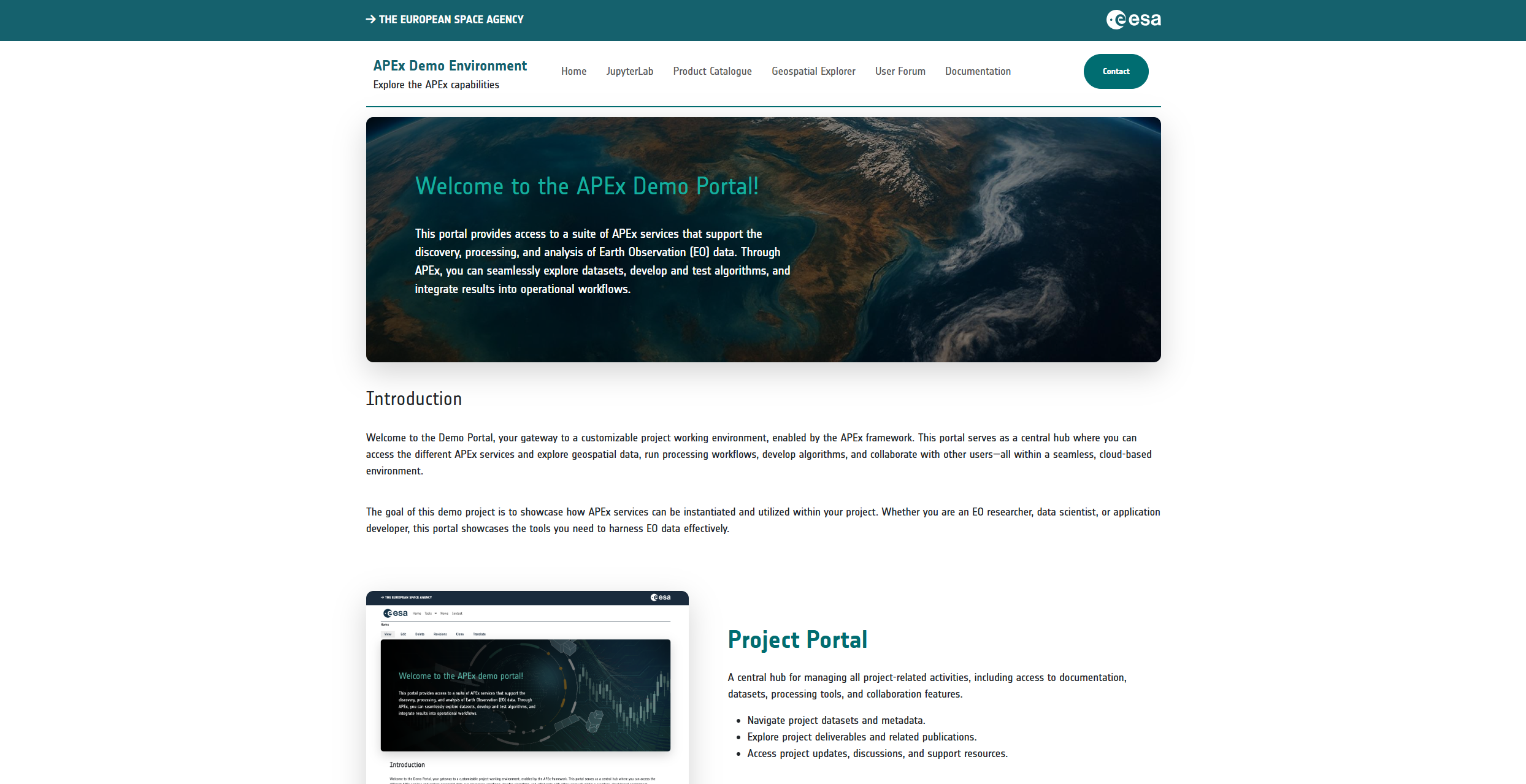
The instantiated project web portal will have the option to work in synergy with other services offered within APEx. This collaborative approach enables projects to extend their portal by instantiating other APEx services, such as a STACcatalogue, a Geospatial Explorer, a User Forum, and more, and linking them to the main project web portal, resulting in a dedicated, streamlined project ecosystem.
Showcase Scenarios
The project web portal can bring a lot of value to projects, including:
Efficient project dissemination and community engagement
Facilitates the rapid and broad dissemination of project information, ensuring that updates, results, and important announcements reach the intended audience quickly and effectively.Professional branding with customisation possibilities
The portal comes with polished, consistent branding out of the box, enhancing the project’s credibility and professionalism and fostering trust among stakeholders and the public. Additionally, project teams can tailor the portal’s appearance to align with specific branding guidelines or aesthetic preferences, creating a unique and engaging user experience that reflects the project’s identity.Content management and moderation
The portal’s robust content management capabilities enable teams to streamline the creation, moderation, and updating of content. Advanced features like content moderation workflows and version control ensure that all shared information is accurate, current, and meets our high-quality standards. The system supports various roles and permissions, including administrators and content creators, fostering a self-regulated environment. This empowerment allows project teams to manage their content and user access autonomously, thereby enhancing operational efficiency.
What does APEx offer?
APEx provides a default Drupal installation for your project, including a basic theme. APEx offers basic theming support, such as changing the color scheme and project logo. Upon creation of your project’s portal, an administrator account will be created, allowing you to invite other project members. Using the built-in content management system, your project is free to manage the content of the full website.
In addition to providing your project web portal, APEx ensures optimal performance and availability through continuous monitoring. Automated maintenance tasks, such as updates and backups, are conducted to minimize downtime and maintain data integrity. This approach establishes a robust and dependable environment for users.
By April 2026, the APEx Project Web Portal service will be integrated into the ESA Network of Resources (NoR). Until these services are onboarded, projects can reach out to the APEx team to explore how we can support their hosting needs. APEx also manages DNS setup, ensuring your project’s website is accessible on the internet without any additional technical burden.
This comprehensive service allows projects to focus on content creation and management while APEx takes care of the technical aspects, making it a valuable and efficient solution for project dissemination needs.
What software is used by APEx?
For the project web portal service, APEx uses the Drupal framework. Drupal is an open-source platform for creating and managing web content. In addition to its extensive content management features, it also allows for detailed customization.
Long‑Term Availability and Preservation of Project Portals
In addition to supporting active ESA EO projects, APEx provides a pathway for long‑term availability of project portals beyond the official project duration. As the APEx Project Environments are being onboarded into the ESA Network of Resources (NoR), projects will be able to rely on NoR to sustain their portals over time.
Sustained Hosting Through NoR
The NoR funding can be used to ensure project portals can remain online. When projects request portal hosting through NoR, they benefit from:
- Operational continuity of the portal after the project ends
- Continued cloud hosting, maintenance, and security updates delivered by APEx service partners
- Continued access for stakeholders, enabling outreach, communication, and follow‑up activities
Projects are therefore encouraged to include portal hosting and maintenance costs in their planning, so the portal can remain in the NoR‑supported operations after the project’s conclusion.
Preservation and Retirement Strategy
APEx provides a practical long‑term strategy to ensure that project portals remain accessible while keeping operational costs manageable:
- As long as NoR funding or project budget is available, portals remain fully operational.
- When funding is exhausted, portals may be taken offline but, if requested, preserved as a retirement snapshot. This ensures
they can be restored later if needed, without losing the portal’s content or structure.
Independent Preservation of Project Results
While project portals provide a unified and user‑friendly interface for presenting project outcomes, it is important to note that the long‑term preservation of project results does not depend on the portal.
All key project outputs, including:
- deliverables
- datasets and derived products
- workflows and pipelines
- algorithms and application packages
are preserved in dedicated ESA‑managed systems, such as:
- the ESA Project Results Repository (PRR) for data and products
- document and deliverable archives managed by ESA
- the Algorithm Catalogue for workflows and algorithms
This means that even if a project portal is retired or offline, the authoritative project outputs remain accessible to the EO community without requiring dedicated hosting resources.
Examples
Explore the different Project Web Portal examples through our Solutions Gallery.
User Documentation
For a step-by-step guide on how to use and manage your project web portal, refer to the official Project Web Portal User Guide